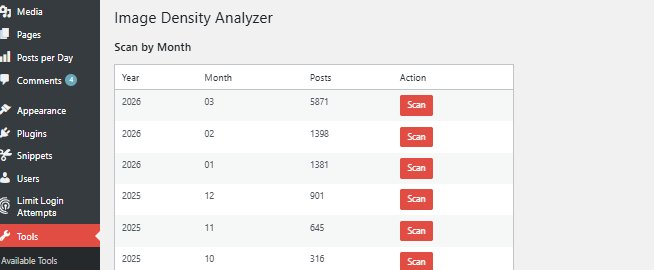
The real problem
When working with heavy content (especially galleries, dumps, or long posts), it’s very easy to fall into a silent issue: too many images in a single post.
You don’t notice it immediately.
The page “loads”. Everything “works”.
But underneath:
- LCP spikes
- CLS becomes unstable
- Interaction time degrades
- Crawl budget gets wasted
- And worst of all: Google stops pushing those URLs
This problem isn’t easily detected by tools like Google Analytics or Google Search Console in a direct way.
Because it’s not a critical error.
It’s a structural overload.
What Image Density Analyzer does
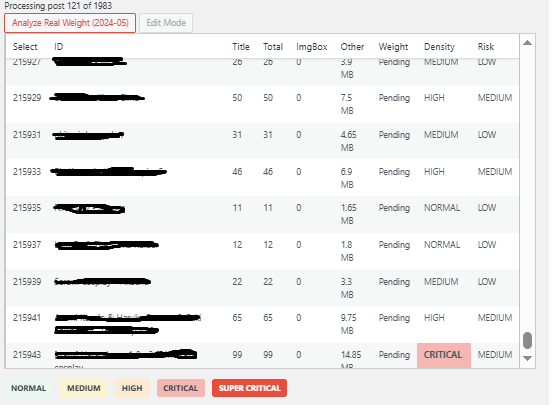
Image Density Analyzer is a diagnostic plugin that answers a key question:
How heavy are your posts in terms of image density?
And it does it without modifying content, without risk, without side effects.
It analyzes your site and shows:
- Total number of images per post
- Identification of “heavy” posts
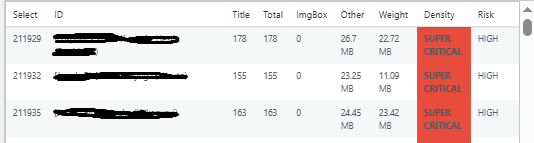
- Detection of outliers (content out of control)
- A clear view to prioritize optimization
What problem it actually solves
This is not an optimization plugin.
It’s more important than that.
It solves the lack of visibility over:
- Posts already hurting performance
- Content breaking Core Web Vitals without you noticing
- Imbalance between posts (some light, others extreme)
Without this visibility, optimization becomes guesswork.
How it works (technical level)
The plugin performs an internal scan of your posts and:
- Parses the HTML content
- Detects all embedded images (e.g., <img>, ImgBox links, etc.)
- Counts the total per post
- Outputs a clean metrics panel
No external APIs.
No added latency.
No frontend impact.
It’s pure diagnostics.
What it does NOT do (important)
To avoid false expectations:
- It does not compress images
- It does not apply lazy loading
- It does not restructure content
- It does not auto-optimize
This is not an optimizer.
It’s a strategic scanner.
When to use it
This plugin becomes critical if you:
- Manage image-heavy websites
- Use external hosts like ImgBox
- Publish content at scale
- Operate a site fleet
- Notice performance drops without a clear cause
What to do after the analysis
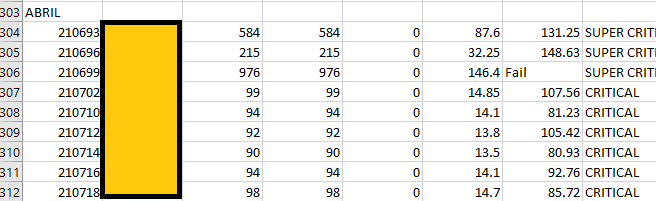
Once problematic posts are identified, you can:
- Remove unnecessary images
- Split content into multiple posts
- Implement progressive loading (load more)
- Restructure content layout
- Prioritize critical images
This is where other systems or plugins come in.
Image Density Analyzer simply shows you where to act.
Conclusion
The biggest risks in high-content websites are not visible errors.
They are invisible excesses.
Image Density Analyzer turns that into something measurable, clear, and actionable.
And that completely changes how you optimize your site.