What is the Image Compress Script?
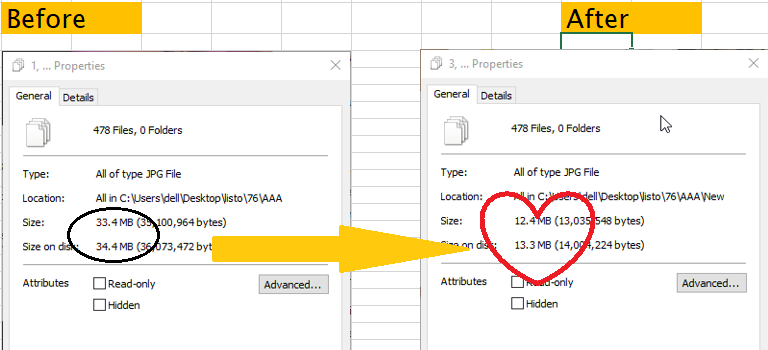
The Image Compress Script is a lightweight image optimization tool designed to reduce file size dramatically without altering image dimensions or visual quality.
Unlike many compressors that resize images or degrade detail, this script focuses on compressing images that have already been cropped and prepared, reducing their weight while preserving every pixel.
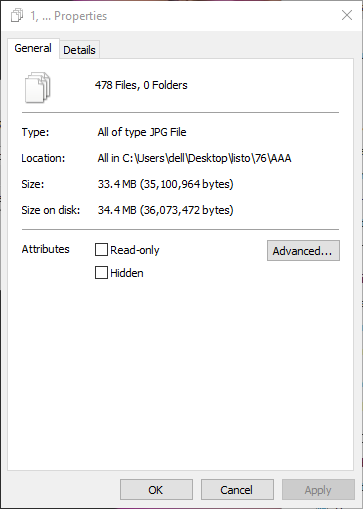
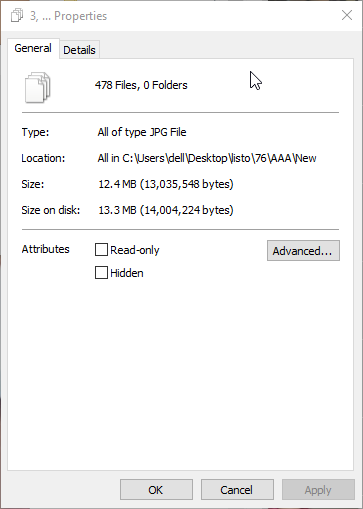
The result is significantly lighter images (often 50–70% smaller) without changing resolution or introducing visible artifacts.
The Problem It Solves
In many workflows—especially in publishing, web design, or content production—images are already:
- properly cropped
- optimized for composition
- exported at the correct resolution
However, these images are often still much heavier than necessary, which creates several issues:
- slower page loading
- higher bandwidth consumption
- reduced performance scores
- unnecessary storage usage
Most compression tools solve this by resizing images, which is not always desirable.
The Image Compress Script solves the problem by reducing file weight without touching the pixel structure or dimensions.
What the Script Does
The script processes images and applies efficient compression techniques that remove unnecessary data while maintaining visual fidelity.
It automatically:
• compresses images without resizing
• preserves original resolution
• removes redundant image data
• optimizes encoding for smaller file size
• maintains visual sharpness
This allows images to remain visually identical while becoming dramatically lighter.
Key Features
High Compression Efficiency
Typical reductions range between 50% and 70% file size savings depending on the image.
No Resolution Changes
Image width and height remain exactly the same.
Pixel Integrity
No pixel removal or structural image degradation.
Optimized for Prepared Images
Ideal for images that have already been cropped or finalized.
Lightweight Processing
The script focuses only on compression, avoiding heavy or unnecessary transformations.
Zoom-Friendly Compression
A key feature of the compression method is that it preserves detail even when zooming into the image.
This makes it particularly useful for:
- product images
- illustrations
- detailed graphics
- reference images
- visual assets that users may inspect closely
Even under zoom, images remain sharp and artifact-free.
Performance Benefits
(This image is 348 KB in size)

(This is the same image using Image Compress Script, 148KB)

Same quality on Zoom
100%

300%

Reducing image size has a direct impact on web performance.
Faster Page Loading
Lighter images load significantly faster.
Improved Core Web Vitals
Smaller image payloads help improve metrics such as:
- Largest Contentful Paint (LCP)
- overall page rendering speed
Reduced Bandwidth Usage
Lower file sizes decrease server bandwidth requirements.
Better Mobile Performance
Users on slower connections experience faster loading.
Ideal Use Cases
The Image Compress Script works especially well for:
- image-heavy websites
- blogs with many visual assets
- illustration or art sites
- product catalogs
- image archives
- reference image libraries
Any environment where images must remain high quality but lightweight.
Technical Overview
The script focuses on efficient image encoding and metadata optimization rather than destructive transformations.
Key techniques include:
- optimized encoding parameters
- removal of unnecessary metadata
- efficient compression algorithms
- preservation of image structure and dimensions
This approach ensures that images remain visually identical while significantly reducing their file size.